Blog
🛒 WooCommerce Development Guide: Build & Scale Your Store (Ultimate 2026 Guide)

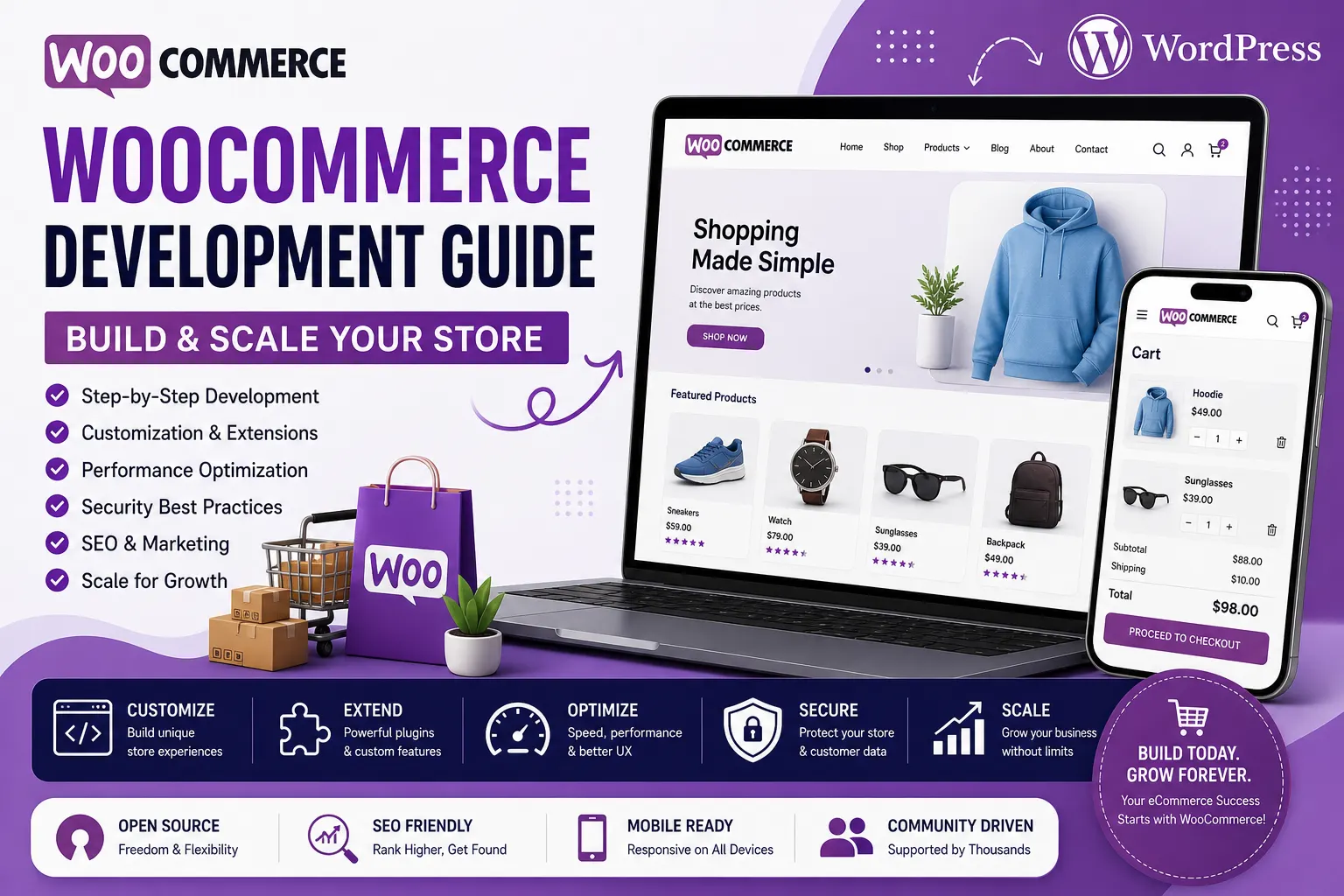
📘 Introduction: Why WooCommerce Development Matters in Modern Ecommerce
Ecommerce has shifted from being a simple online selling channel to a complex digital ecosystem where performance, scalability, flexibility, and user experience define success. Businesses today need platforms that not only allow them to sell products but also adapt to growth, integrate with multiple systems, and deliver seamless experiences across devices.
Among all ecommerce solutions available, WooCommerce stands out as one of the most flexible and widely used platforms. Built on top of WordPress, WooCommerce combines the power of content management with ecommerce functionality, making it an ideal choice for businesses that want full control over their online store.
However, while WooCommerce is easy to install and start with, building a scalable, high-performing ecommerce store requires a deeper understanding of its architecture, development practices, and optimization strategies.
This guide provides a complete, end-to-end walkthrough of WooCommerce development, from foundational setup to advanced scaling techniques.
🧠 Understanding WooCommerce: The Foundation
To fully grasp WooCommerce development, it is important to understand what WooCommerce is and how it works.
WooCommerce is an open-source ecommerce plugin for WordPress that transforms a standard website into a fully functional online store.
Unlike SaaS platforms, WooCommerce gives you complete control over:
- Design
- Functionality
- Data
- Hosting
This flexibility is its biggest strength—and also its biggest responsibility.
How WooCommerce Works
WooCommerce operates as a plugin within WordPress. This means:
- WordPress handles content management
- WooCommerce handles ecommerce functionality
- Developers can extend both
The system is modular, allowing you to add features through plugins and customize behavior through code.
⚙️ WooCommerce Architecture Explained (Deep Dive)
Frontend Layer (Theme System)
The frontend is responsible for how your store looks and behaves. WooCommerce uses WordPress themes to control layout and design.
Themes include:
- Templates for pages
- Stylesheets
- JavaScript files
Developers can customize themes to create unique user experiences.
Backend Layer (WordPress + WooCommerce Core)
The backend includes:
- Product management
- Order processing
- Customer data
- Payment systems
WooCommerce uses WordPress’s database structure to store data.
Database Structure
WooCommerce stores data in:
- Posts table (products)
- Post meta table (product details)
- Custom tables (orders, taxes, etc.)
Understanding this structure is essential for advanced development.
Plugin Ecosystem
WooCommerce relies heavily on plugins to extend functionality.
API Layer
WooCommerce provides REST APIs for:
- Integrations
- Mobile apps
- External systems
🧩 Setting Up WooCommerce Store (Detailed Process)
Step 1: Choosing Hosting
Hosting is critical for WooCommerce performance.
Types of Hosting
- Shared hosting (budget)
- VPS hosting (scalable)
- Cloud hosting (high performance)
Step 2: Installing WordPress
WordPress must be installed before WooCommerce.
Step 3: Installing WooCommerce Plugin
After installing WordPress:
- Install WooCommerce plugin
- Run setup wizard
Step 4: Configuring Store Settings
Includes:
- Currency
- Taxes
- Shipping
- Payments
🎨 WooCommerce Themes and Design (Deep Explanation)
Importance of Design
Design directly impacts:
- User experience
- Conversion rates
Choosing a Theme
Themes should be:
- Responsive
- Fast
- SEO-friendly
Custom Theme Development
Developers can create custom themes using:
- PHP
- CSS
- JavaScript
🛠️ Core WooCommerce Development Concepts
Product Management
Products include:
- Simple products
- Variable products
- Grouped products
Cart System
Handles:
- Product selection
- Quantity updates
- Price calculations
Checkout Process
Checkout must be:
- Simple
- Secure
- Optimized
Order Management
Tracks orders from purchase to delivery.
🔗 WooCommerce Plugins and Integrations
Types of Plugins
- Payment gateways
- Shipping tools
- SEO plugins
- Marketing tools
Custom Plugin Development
Developers can create plugins to add custom functionality.
💳 Payment Gateway Integration
WooCommerce supports multiple payment methods.
Popular Payment Options
- Credit cards
- UPI
- Wallets
🚚 Shipping and Logistics
Shipping includes:
- Zones
- Rates
- Tracking
📱 Mobile Optimization
Mobile-first design is essential.
⚡ Performance Optimization (Advanced)
Why Performance Matters
Slow websites reduce conversions.
Optimization Techniques
- Caching
- CDN
- Database optimization
🔐 Security in WooCommerce
Key Measures
- SSL
- Secure login
- Firewall
📈 SEO in WooCommerce (Deep Guide)
On-Page SEO
- Meta tags
- Keywords
- URLs
Technical SEO
- Site speed
- Mobile optimization
🧠 Advanced WooCommerce Development
Custom Hooks and Filters
WooCommerce allows developers to modify behavior using hooks.
REST API Usage
Used for integrations.
Headless WooCommerce
Frontend separated from backend.
🚀 Scaling WooCommerce Store
Strategies
- Use cloud hosting
- Optimize database
- Use CDN
⚠️ Common Mistakes
- Poor hosting
- Too many plugins
- Ignoring performance
🔮 Future of WooCommerce
- Headless commerce
- AI personalization
- Automation
🏁 Conclusion
WooCommerce provides unmatched flexibility and control, making it an ideal platform for businesses that want to build scalable ecommerce stores.
To build and scale your WooCommerce store effectively, working with experts like Sri Hayavadhana Info Tech ensures your platform is optimized for performance, scalability, and long-term growth.