Blog
UI vs UX in Ecommerce

The Complete Guide to Building High-Converting Online Shopping Experiences
In ecommerce, success is no longer determined only by product quality or pricing. Modern online shoppers evaluate brands based on how easy, enjoyable, and trustworthy the shopping experience feels. Customers expect seamless navigation, fast loading pages, intuitive product discovery, attractive interfaces, frictionless checkout flows, and personalized experiences across devices. This is where UI and UX become critical.
Many ecommerce businesses confuse UI and UX, often using the terms interchangeably. While both are deeply connected, they represent different aspects of the customer journey. UI focuses on the visual and interactive elements users see and interact with, while UX focuses on the overall experience customers have when using the ecommerce website.
A visually stunning ecommerce website with poor usability may frustrate visitors and reduce conversions. Similarly, a highly functional store with weak visual design may fail to build trust or emotional engagement. The most successful ecommerce websites combine strong UI and UX principles to create shopping experiences that are both attractive and efficient.
This comprehensive guide explains the differences between UI and UX in ecommerce, how they work together, why they matter for conversions and SEO, and how businesses can optimize both to create scalable, high-performing online stores.
What is UI in Ecommerce?
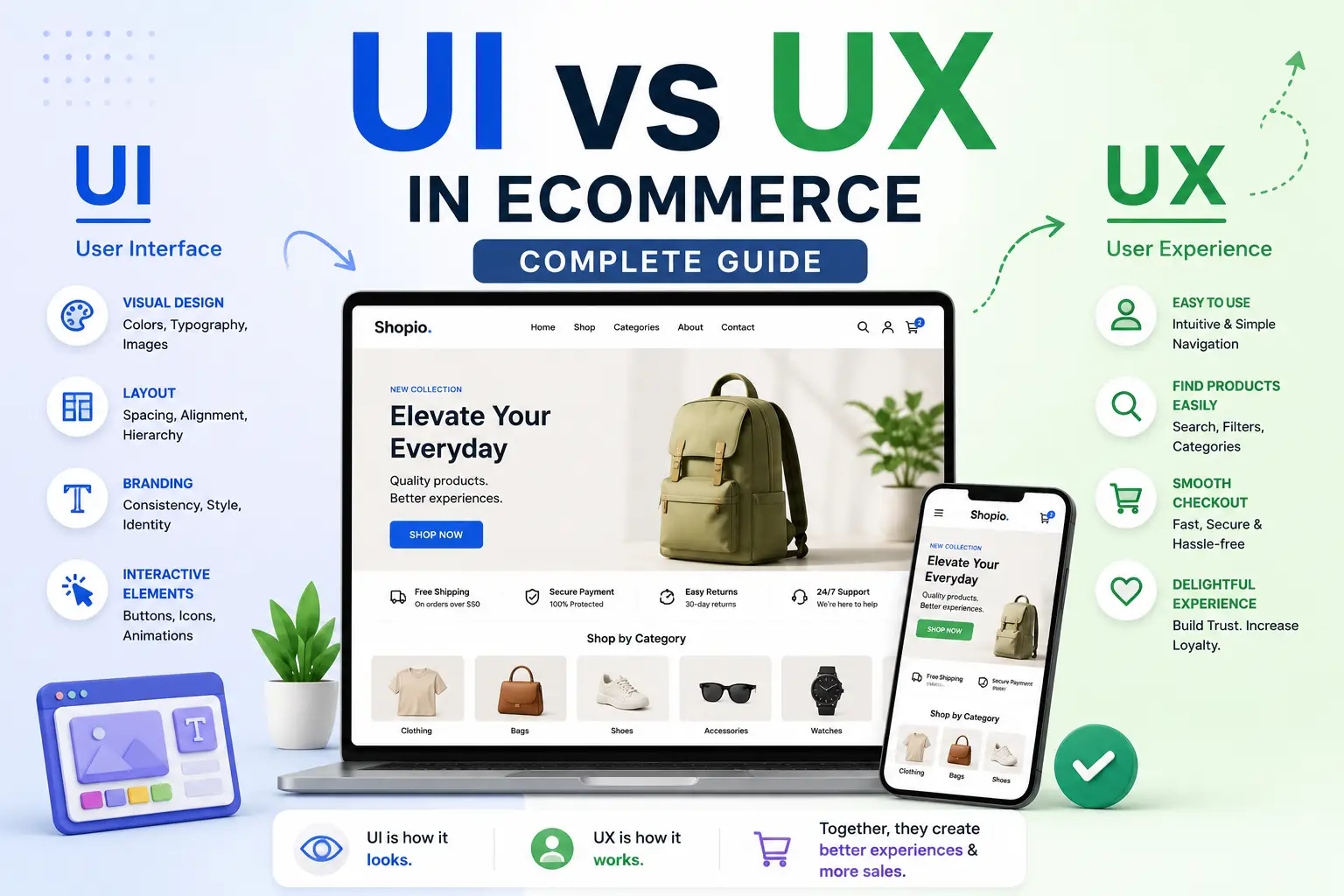
UI stands for User Interface. In ecommerce, UI refers to the visual presentation and interactive elements customers use while browsing an online store.
The ecommerce user interface includes:
- Layouts
- Typography
- Colors
- Buttons
- Icons
- Product cards
- Navigation menus
- Forms
- Banners
- Images
- Animations
- Search bars
- Filters
- Checkout design
UI determines how the ecommerce website looks and how users interact with visual components.
A strong ecommerce UI creates:
- Professional brand perception
- Visual consistency
- Easy interaction
- Better readability
- Clear navigation
- Higher engagement
- Improved trust
When customers visit an ecommerce website, UI shapes the first impression immediately.
For example, premium ecommerce brands often use clean layouts, large imagery, elegant typography, and minimal distractions to create a luxury shopping feel. Budget-focused ecommerce stores may use bold pricing displays, vibrant colors, and promotional banners to emphasize affordability and urgency.
What is UX in Ecommerce?
UX stands for User Experience. UX focuses on the overall experience users have while interacting with an ecommerce website.
Unlike UI, which focuses on appearance and interaction design, UX focuses on usability, efficiency, accessibility, emotional satisfaction, and customer journey optimization.
Ecommerce UX includes:
- Navigation flow
- Product discovery
- Search usability
- Checkout process
- Page speed
- Mobile experience
- Accessibility
- Content structure
- Customer support experience
- Trust building
- Conversion optimization
UX aims to reduce friction and help users complete tasks easily.
A good ecommerce UX ensures customers can:
- Find products quickly
- Understand product information
- Compare options efficiently
- Complete purchases smoothly
- Trust the website
- Enjoy the shopping experience
UX affects every stage of the ecommerce customer journey, from discovery to post-purchase support.
UI vs UX: Understanding the Core Difference
Many people describe UI and UX as separate disciplines, but they are deeply interconnected.
The easiest way to understand the difference is this:
- UI is how the ecommerce website looks.
- UX is how the ecommerce website works and feels.
UI focuses on aesthetics and interactions.
UX focuses on usability and customer satisfaction.
For example:
A product page may have:
- Beautiful colors
- Attractive typography
- High-quality product images
- Stylish buttons
These are UI elements.
However, if:
- The product information is difficult to understand
- The add-to-cart process is confusing
- Shipping costs are hidden
- The website loads slowly
Then the UX becomes poor.
Strong ecommerce performance requires both good UI and good UX.
Why UI and UX Matter in Ecommerce
Ecommerce businesses operate in highly competitive environments where customers can easily switch to competitors. Small usability issues or poor visual experiences can significantly impact revenue.
First Impressions Affect Trust
Visitors form opinions about ecommerce websites within seconds.
Professional UI design communicates:
- Credibility
- Quality
- Reliability
- Security
Poor interfaces often create doubt and reduce customer confidence.
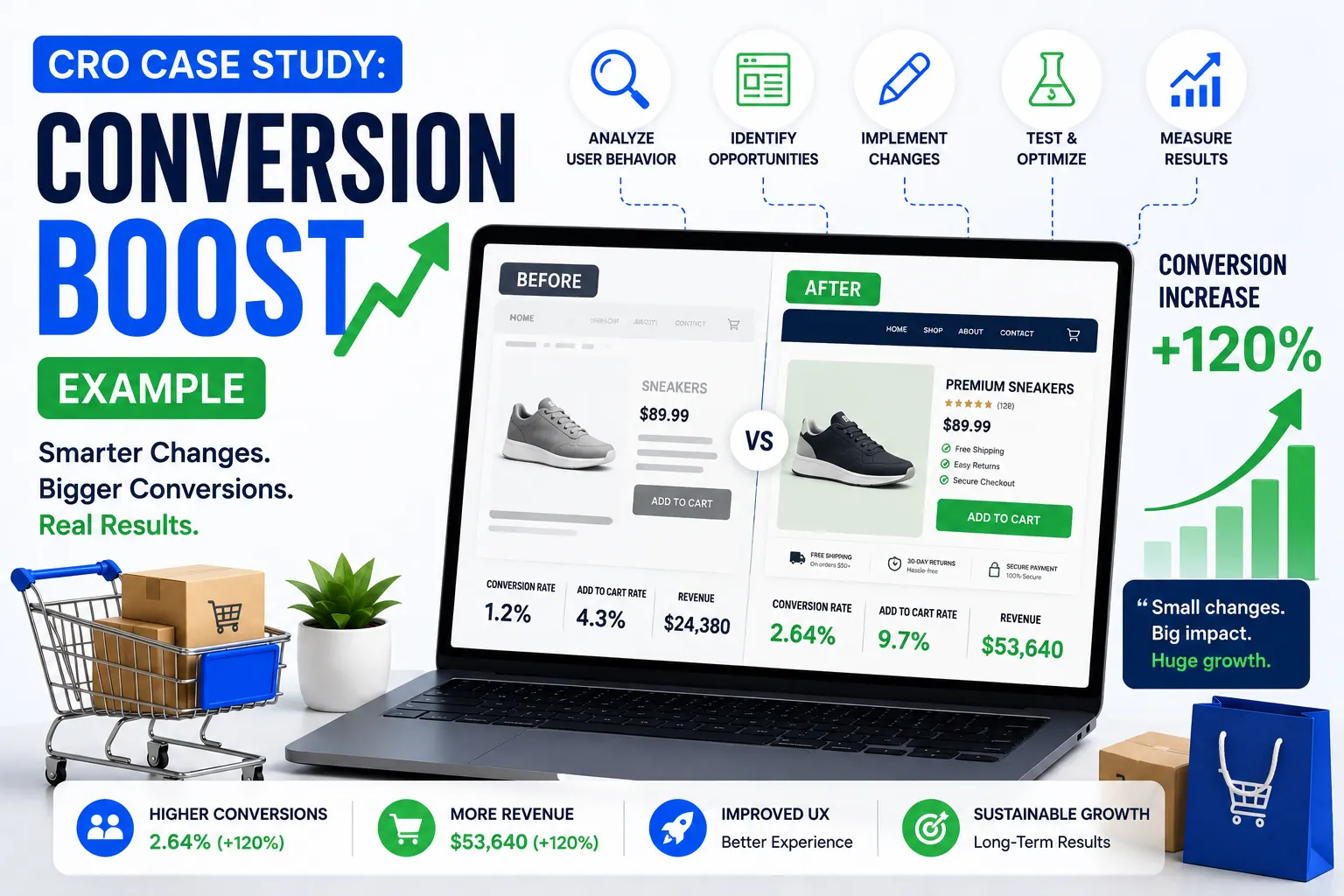
UX Directly Influences Conversion Rates
A smooth user experience increases:
- Product discovery
- Add-to-cart actions
- Checkout completion
- Repeat purchases
Poor UX creates friction that leads to:
- Cart abandonment
- Bounce rates
- Lower customer retention
Mobile Commerce Depends on UX
Most ecommerce traffic now comes from mobile devices.
Mobile UX optimization directly impacts:
- Mobile conversions
- SEO rankings
- User satisfaction
UI and UX Affect SEO
Search engines prioritize websites that offer strong user experiences.
Good UX improves:
- Session duration
- Bounce rate
- Engagement
- Core Web Vitals
These factors support better organic rankings.
The Role of UI in Ecommerce Success
UI design influences customer emotions and brand perception.
Visual Branding
UI helps establish brand identity through:
- Colors
- Typography
- Imagery
- Layout styles
- Design consistency
Luxury brands often use minimalist designs and elegant spacing, while energetic youth brands may use vibrant visuals and dynamic elements.
Navigation Clarity
Well-designed navigation improves product discovery.
Good UI navigation includes:
- Clear menus
- Category organization
- Search visibility
- Filter usability
- Breadcrumbs
Product Presentation
Product display design significantly impacts purchasing decisions.
Effective UI includes:
- High-quality imagery
- Product zoom
- Video previews
- Interactive galleries
- Clean layouts
CTA Optimization
Buttons influence user actions.
Strong ecommerce CTA design includes:
- Contrasting colors
- Clear text
- Strategic placement
- Mobile responsiveness
Examples:
- Add to Cart
- Buy Now
- Checkout Securely
The Role of UX in Ecommerce Success
UX optimization focuses on improving the customer journey.
Simplified Navigation
Customers should find products quickly without confusion.
Good UX architecture includes:
- Logical categories
- Predictive search
- Smart filters
- Clear internal linking
Frictionless Checkout
Checkout UX is one of the biggest conversion factors.
Poor checkout experiences often cause cart abandonment.
Strong checkout UX includes:
- Guest checkout
- Autofill support
- Minimal form fields
- Clear pricing
- Multiple payment options
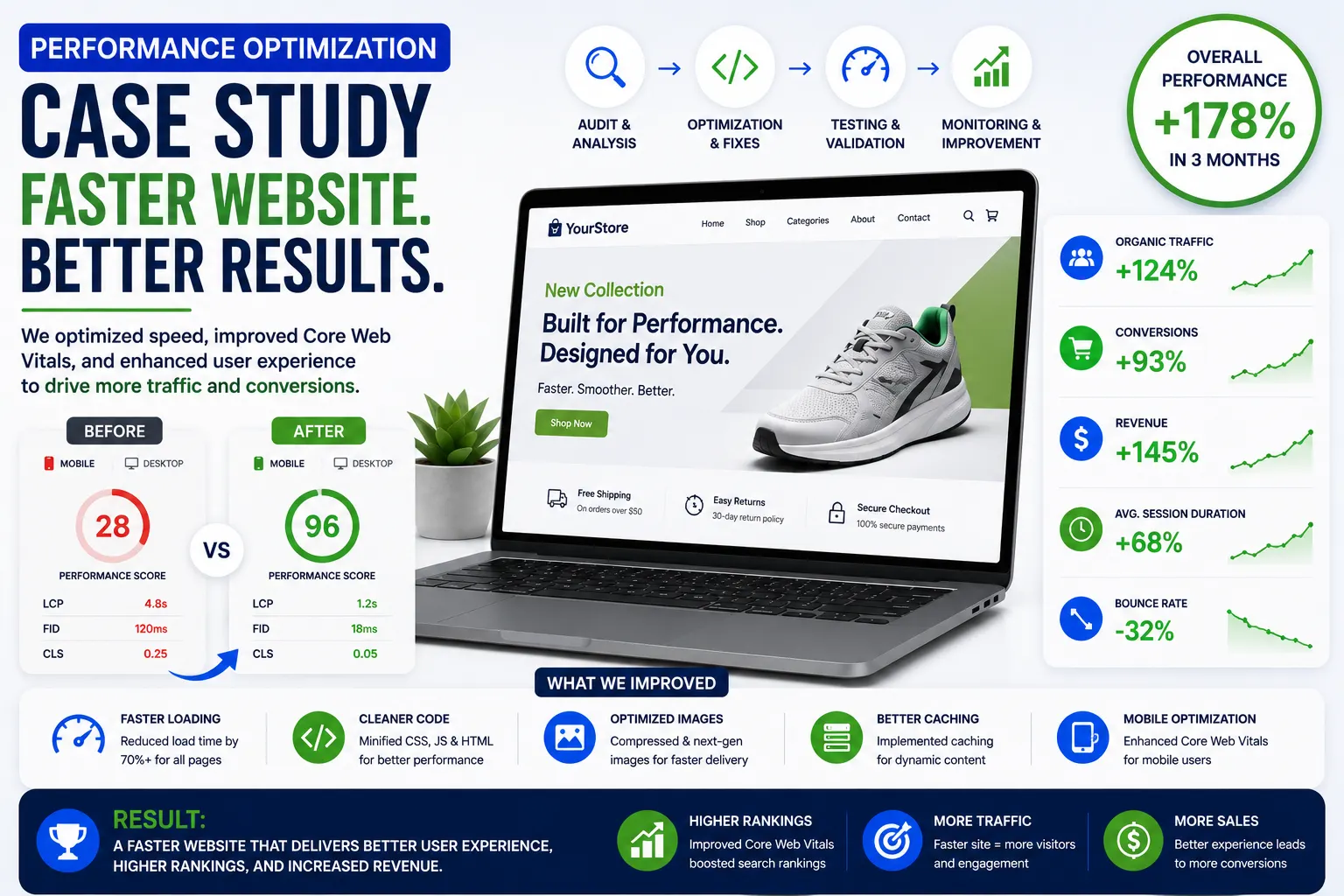
Faster Website Performance
Users expect fast-loading ecommerce websites.
Slow websites reduce:
- Customer satisfaction
- Conversion rates
- SEO performance
Consistent User Journeys
UX ensures customers experience predictable behavior across pages and devices.
Consistency improves usability and reduces learning curves.
Ecommerce UI Design Best Practices
Use Visual Hierarchy
Visual hierarchy guides customer attention.
Important elements should stand out through:
- Font size
- Color contrast
- Positioning
- White space
The user should naturally move from:
Headline → Product → CTA
Maintain Consistent Design Systems
Consistency improves usability and professionalism.
Maintain consistency across:
- Buttons
- Colors
- Typography
- Icons
- Layout spacing
Use White Space Effectively
White space prevents clutter and improves readability.
Minimalist ecommerce designs often perform better because they reduce distractions.
Choose Readable Typography
Typography impacts usability significantly.
Good ecommerce typography should:
- Be easy to read
- Scale across devices
- Maintain contrast
- Support accessibility
Optimize Image Quality
High-quality visuals improve perceived product value.
Use:
- WebP images
- Zoom functionality
- Lifestyle photography
- Product videos
Ecommerce UX Best Practices
Design for User Intent
Customers visit ecommerce websites with goals.
UX should help users:
- Discover products quickly
- Compare options easily
- Purchase without friction
Reduce Cognitive Load
Simplify interfaces to avoid overwhelming users.
Avoid:
- Excessive popups
- Too many menu options
- Cluttered layouts
Improve Product Discovery
Strong UX includes:
- Advanced search
- Smart filters
- Recommendations
- Related products
Make Checkout Easy
Simplified checkout flows improve conversions.
Best practices include:
- One-page checkout
- Guest checkout
- Mobile optimization
- Clear progress indicators
Build Trust Throughout the Journey
Trust signals improve UX and reduce hesitation.
Important trust elements include:
- Reviews
- Security badges
- Return policies
- Contact information
- Delivery estimates
UI vs UX in Mobile Ecommerce
Mobile commerce dominates modern ecommerce traffic.
Mobile UI Priorities
Mobile UI should focus on:
- Thumb-friendly buttons
- Clear typography
- Responsive layouts
- Compact navigation
Mobile UX Priorities
Mobile UX should prioritize:
- Fast loading speed
- Easy checkout
- Minimal typing
- Quick search access
Common Mobile Ecommerce Mistakes
Businesses often make mistakes such as:
- Tiny buttons
- Slow pages
- Complex forms
- Intrusive popups
Poor mobile experiences reduce conversions dramatically.
Product Page UI vs UX
Product pages combine both UI and UX principles.
Product Page UI Elements
UI focuses on:
- Image galleries
- Typography
- Color schemes
- Layout structure
- CTA styling
Product Page UX Elements
UX focuses on:
- Information clarity
- Product comparison
- Variant selection
- Shipping visibility
- Review accessibility
Strong product pages combine attractive visuals with helpful usability.
Checkout UI vs UX
Checkout is where revenue is generated.
Checkout UI
Checkout UI includes:
- Form design
- Button styling
- Progress indicators
- Payment visuals
Checkout UX
Checkout UX includes:
- Simplified workflows
- Error prevention
- Autofill support
- Payment flexibility
Even beautiful checkout pages fail if the user experience is frustrating.
How UI and UX Impact Ecommerce SEO
SEO is not only about keywords and backlinks.
Search engines increasingly prioritize user experience signals.
UI Supports SEO Through:
- Better readability
- Mobile responsiveness
- Improved engagement
- Structured layouts
UX Supports SEO Through:
- Reduced bounce rates
- Faster page speed
- Longer session duration
- Better navigation
- Improved Core Web Vitals
Google values websites that provide excellent user experiences.
Helpful resources:
UI vs UX in Shopify Ecommerce Stores
Shopify stores often prioritize aesthetics heavily.
Common Shopify UI Strengths
Many Shopify themes provide:
- Modern layouts
- Beautiful product grids
- Responsive design
- Visual consistency
Common Shopify UX Problems
However, some stores struggle with:
- Slow apps
- Overloaded popups
- Confusing navigation
- Complicated checkout customizations
Businesses should balance visual appeal with usability.
Learn more:
UI vs UX in WooCommerce Websites
WooCommerce offers flexibility but requires strategic design decisions.
WooCommerce UI Advantages
WooCommerce allows:
- Complete visual customization
- Advanced branding
- Flexible layouts
WooCommerce UX Challenges
UX issues may arise from:
- Plugin overload
- Slow hosting
- Poor mobile optimization
- Weak navigation structures
Performance optimization is essential.
Learn more:
Psychological Principles Behind Ecommerce UI and UX
Human psychology heavily influences online shopping behavior.
Color Psychology
Different colors trigger emotional responses.
Examples:
- Blue = trust
- Red = urgency
- Green = wellness
- Black = luxury
Scarcity and Urgency
Limited-time offers encourage faster decisions.
Examples:
- Only 3 left
- Sale ends tonight
Social Proof
Customers trust peer opinions.
Examples:
- Reviews
- Ratings
- Testimonials
- User-generated content
Cognitive Ease
Simpler interfaces reduce mental effort and improve decision-making.
Accessibility in Ecommerce UI and UX
Accessibility improves usability for all users.
Accessible ecommerce websites include:
- Alt text
- Keyboard navigation
- Screen reader support
- High contrast
- Readable fonts
Accessibility also improves SEO and compliance.
Learn more:
Measuring UI and UX Performance in Ecommerce
Businesses should track both visual engagement and usability metrics.
Important UX Metrics
- Bounce rate
- Conversion rate
- Cart abandonment
- Session duration
- Funnel drop-offs
Important UI Metrics
- Click-through rates
- CTA interactions
- Heatmap engagement
- Scroll depth
Tools for UI/UX Analysis
Popular tools include:
- Google Analytics
- Hotjar
- Crazy Egg
- Microsoft Clarity
Helpful links:
AI in Ecommerce UI and UX
Artificial intelligence is transforming ecommerce experiences.
AI-Powered Personalization
AI can personalize:
- Product recommendations
- Search results
- Homepage layouts
- Promotions
AI Chatbots
AI assistants improve support and product discovery.
Predictive UX
AI predicts customer behavior to optimize:
- Recommendations
- Upselling
- Navigation paths
Common UI Mistakes in Ecommerce
Excessive Animations
Too many animations create distractions and reduce performance.
Poor Contrast
Weak contrast hurts readability and accessibility.
Cluttered Interfaces
Overcrowded layouts overwhelm users.
Inconsistent Design
Inconsistency creates confusion and reduces professionalism.
Common UX Mistakes in Ecommerce
Slow Loading Pages
Performance issues increase bounce rates.
Complex Navigation
Confusing menus reduce product discovery.
Difficult Checkout
Long checkout forms hurt conversions.
Hidden Costs
Unexpected fees increase abandonment.
Weak Mobile Experience
Poor mobile optimization reduces sales significantly.
Future of UI and UX in Ecommerce
Ecommerce design continues evolving rapidly.
Voice Commerce
Voice-based shopping interfaces are growing.
AR and VR Shopping
Immersive product visualization improves buyer confidence.
Hyper-Personalization
AI-driven experiences will become more advanced.
Minimalist Interfaces
Clean, distraction-free interfaces will continue dominating ecommerce design.
Predictive Experiences
Websites will increasingly anticipate customer intent.
UI vs UX: Which is More Important in Ecommerce?
UI and UX should never compete against each other.
A beautiful interface without strong usability fails.
A functional website without appealing visuals struggles to build emotional engagement.
The best ecommerce websites combine:
- Attractive UI
- Strategic UX
- Fast performance
- Strong branding
- Conversion optimization
UI and UX work together to create profitable online shopping experiences.
How to Improve UI and UX Together
Start with User Research
Understand:
- Customer behavior
- Pain points
- Device usage
- Shopping patterns
Build User-Centered Designs
Design around customer needs rather than business assumptions.
Optimize Continuously
Ecommerce optimization should be ongoing.
Use:
- A/B testing
- Heatmaps
- Analytics
- Customer feedback
Prioritize Mobile Experience
Mobile-first design is essential for modern ecommerce growth.
Balance Beauty and Functionality
Aesthetics should support usability rather than distract from it.
Final Thoughts
UI and UX are among the most important factors influencing ecommerce success in 2026 and beyond. Customers no longer tolerate slow, confusing, or visually outdated online stores. They expect intuitive shopping journeys, attractive interfaces, fast performance, secure transactions, and seamless mobile experiences.
UI focuses on how the ecommerce website looks and interacts visually with users. UX focuses on how the website functions and how customers feel during the shopping process. Together, they shape the entire ecommerce customer experience.
Businesses that invest in strong UI and UX strategies often achieve:
- Higher conversion rates
- Better SEO rankings
- Lower bounce rates
- Increased customer retention
- Stronger brand trust
- Higher revenue growth
Whether building a Shopify store, WooCommerce website, Magento platform, or custom ecommerce application, understanding the relationship between UI and UX is essential for creating scalable, customer-focused online shopping experiences.
The future of ecommerce will increasingly depend on personalized experiences, AI-powered interfaces, immersive shopping technologies, and seamless omnichannel interactions. Brands that prioritize both user interface design and user experience optimization will remain competitive in the evolving digital commerce landscape.