Blog
☁️ Cloud vs Traditional Hosting for Ecommerce Websites (Ultimate 2026 Guide)

📘 Introduction: Why Hosting Choice Impacts Ecommerce Growth
In ecommerce, your hosting infrastructure is not just a technical component—it is the backbone of your entire business. Every product page, checkout process, and customer interaction depends on how efficiently your website is hosted.
A slow or unreliable hosting environment can lead to:
- Higher bounce rates
- Cart abandonment
- Revenue loss
- Poor SEO rankings
On the other hand, a well-optimized hosting setup ensures:
- Fast page load speeds
- High uptime
- Seamless user experience
- Scalability during traffic spikes
This is why choosing between cloud hosting and traditional hosting is one of the most critical decisions for any ecommerce business.
🧠 Understanding Ecommerce Hosting (Deep Explanation)
Web hosting refers to the infrastructure that stores your website files and delivers them to users over the internet.
For ecommerce platforms, hosting must handle:
- Real-time transactions
- Secure payment processing
- Inventory updates
- High traffic volumes
Unlike basic websites, ecommerce platforms require high-performance and highly reliable hosting environments.
🏗️ Traditional Hosting Explained (In Depth)
What is Traditional Hosting?
Traditional hosting refers to hosting your website on a single physical server or a fixed virtual server.
Types of Traditional Hosting
1. Shared Hosting
Multiple websites share the same server resources.
👉 Learn more about shared hosting basics from Hostinger
2. VPS (Virtual Private Server)
Provides dedicated resources within a shared environment.
3. Dedicated Hosting
A full server dedicated to your website.
How Traditional Hosting Works
In traditional hosting:
- Your website resides on a specific server
- Resources such as CPU and RAM are fixed
- Scaling requires upgrading hardware
Advantages of Traditional Hosting
Lower Initial Cost
Shared hosting is budget-friendly for small businesses.
Simplicity
Easy to set up without advanced technical knowledge.
Full Control (Dedicated Servers)
Businesses can configure servers as needed.
Limitations of Traditional Hosting
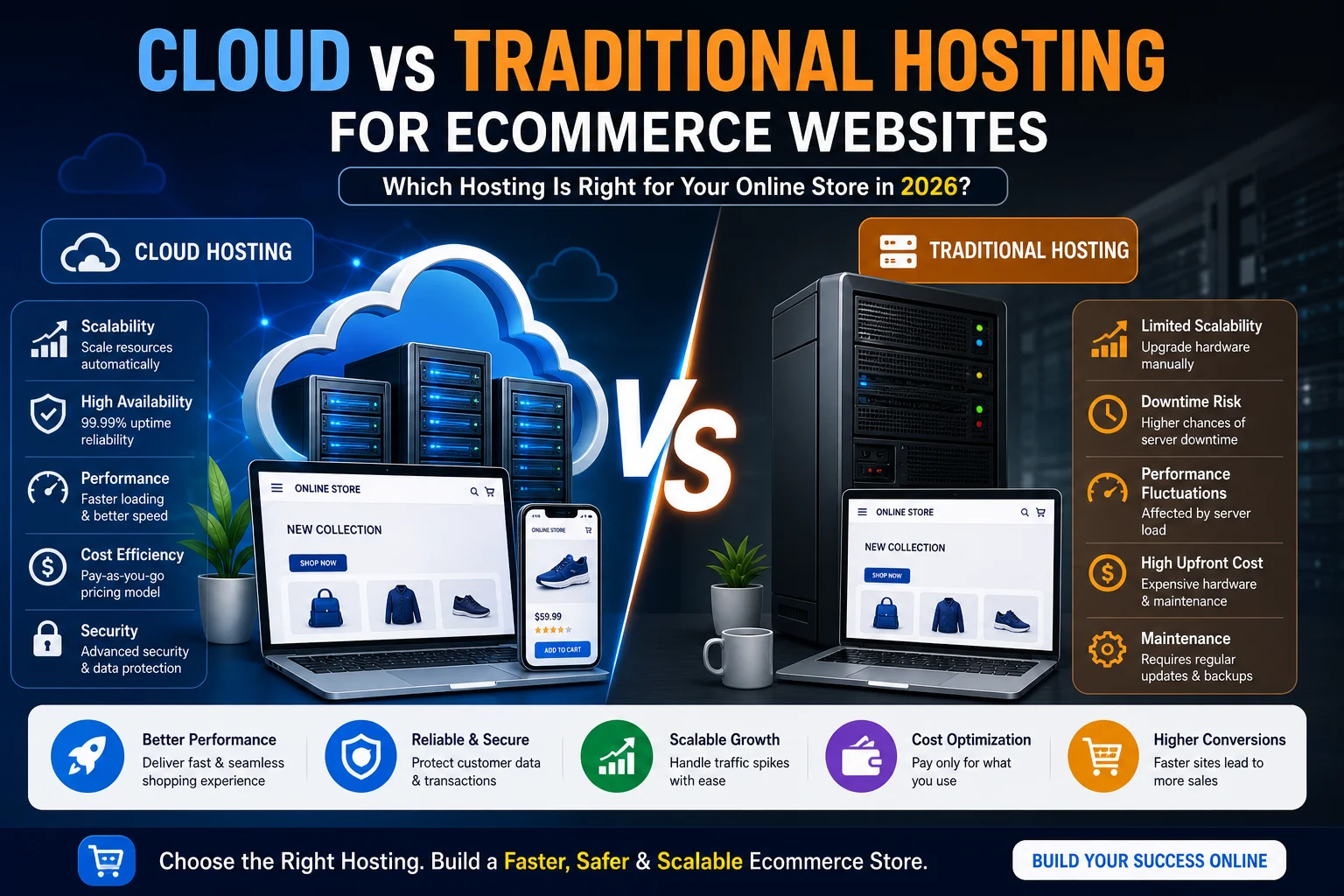
Limited Scalability
Scaling requires manual upgrades.
Performance Bottlenecks
High traffic can overload servers.
Single Point of Failure
If the server crashes, your website goes offline.
☁️ Cloud Hosting Explained (Deep Dive)
What is Cloud Hosting?
Cloud hosting uses a network of interconnected servers to host your website instead of relying on a single machine.
How Cloud Hosting Works
Your website data is distributed across multiple servers, ensuring:
- Redundancy
- High availability
- Load distribution
Major Cloud Hosting Providers
Amazon Web Services
👉 Official documentation: https://aws.amazon.com/what-is-cloud-computing/
Google Cloud Platform
👉 Learn more: https://cloud.google.com/learn/what-is-cloud-computing
Microsoft Azure
👉 Overview: https://azure.microsoft.com/en-in/resources/cloud-computing-dictionary/what-is-cloud-computing/
Advantages of Cloud Hosting
1. Scalability
Cloud hosting allows automatic scaling based on demand.
2. High Availability
If one server fails, another takes over.
3. Performance Optimization
Traffic is distributed across multiple servers.
4. Pay-as-You-Go Pricing
You only pay for what you use.
Limitations of Cloud Hosting
1. Complexity
Requires technical expertise to manage.
2. Cost Fluctuation
Costs can increase with traffic.
⚔️ Cloud vs Traditional Hosting (Detailed Comparison)
Scalability
Cloud hosting offers dynamic scaling, while traditional hosting requires manual upgrades.
Performance
Cloud hosting distributes traffic, improving speed and reliability.
Reliability
Cloud hosting ensures uptime through redundancy, while traditional hosting has a single point of failure.
Cost Structure
Traditional hosting has fixed pricing, while cloud hosting is usage-based.
Security
Cloud platforms offer advanced security features such as:
👉 Best practices by OWASP
https://owasp.org/www-project-top-ten/
⚡ Performance Impact on Ecommerce
Page Speed and Conversion
According to Google:
👉 https://developers.google.com/speed/docs/insights/v5/about
Faster websites lead to higher conversions.
Handling Traffic Spikes
Cloud hosting is ideal for:
- Flash sales
- Seasonal traffic
- High-demand events
🔐 Security Considerations (Detailed)
Cloud Security
Cloud platforms provide:
- Encryption
- Firewalls
- Monitoring
Traditional Hosting Security
Security depends on server configuration and management.
📈 SEO Impact of Hosting
Site Speed
Google considers page speed as a ranking factor.
👉 https://developers.google.com/search/docs/experience/page-experience
Uptime
Frequent downtime negatively impacts SEO rankings.
🚀 When to Choose Cloud Hosting
Choose cloud hosting if:
- You expect rapid growth
- You need high uptime
- You want scalability
🧩 When to Choose Traditional Hosting
Choose traditional hosting if:
- You have a small business
- You need predictable costs
- You want simple setup
🔮 Future Trends in Hosting
Serverless Architecture
Reduces infrastructure management.
Edge Computing
Improves global performance.
AI-Driven Optimization
Automates scaling and performance tuning.
🏁 Conclusion
Cloud hosting and traditional hosting each serve different purposes. While traditional hosting works for small-scale operations, cloud hosting is the preferred choice for businesses aiming for scalability, performance, and reliability.
To choose the right hosting solution and build a scalable ecommerce platform, working with experts like Sri Hayavadhana Info Tech ensures your infrastructure is optimized for performance, scalability, and long-term success.